

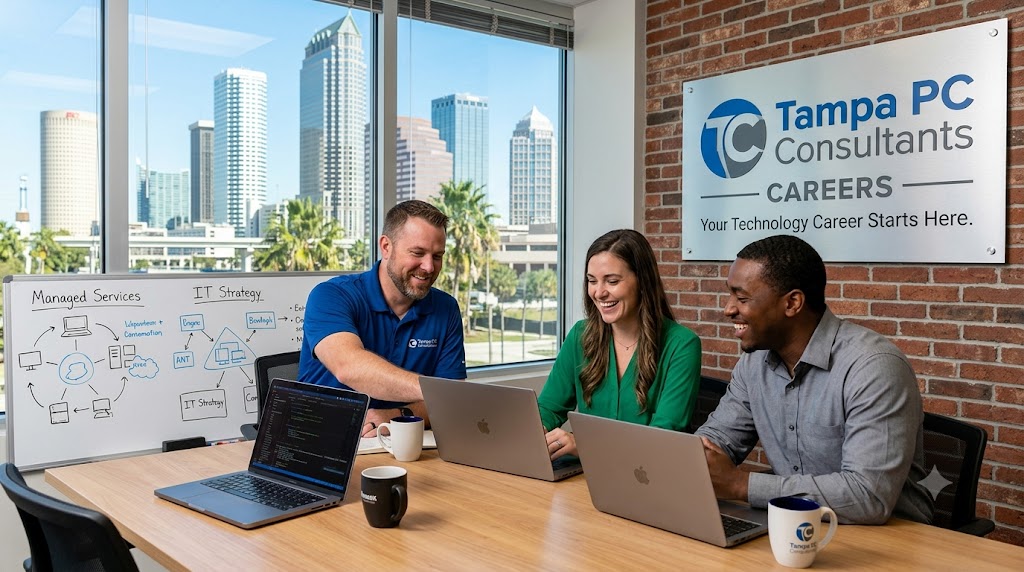

Master Your Technology, Not Just Manage It
In Tampa’s fast-paced business environment, IT isn’t just about keeping computers running—it’s about ensuring your entire operation stays resilient, secure, and efficient. Many local companies face common hurdles: outdated systems, cybersecurity blind spots, and unpredictable downtime that disrupt customer service and revenue. Without a structured approach, these challenges grow into preventable crises.
A proactive IT strategy changes the game. By implementing consistent monitoring, automated updates, and layered security protocols, businesses minimize risks before they escalate. This means fewer surprise outages, faster response times, and stronger data protection—all critical for Tampa organizations in industries like healthcare, legal services, and retail, where uptime and compliance are non-negotiable.
You’ll learn how to shift from reactive fire-fighting to strategic planning, identify vulnerabilities in current setups, and implement scalable solutions tailored to Florida’s unique demands. Whether you’re managing remote teams, handling sensitive client data, or preparing for hurricane season, a disciplined IT framework keeps your business agile and protected.
Here’s what’s ahead:
- Recognizing early warning signs of IT failure
- Building a cybersecurity-first mindset
- Leveraging automation for efficiency
- Planning for growth without tech debt
Take control of your technology—so it serves your goals, not the other way around.
How to Audit Your IT Infrastructure Like a Tampa Tech Pro
Keeping your business running smoothly starts with knowing the true state of your IT systems. In Tampa’s fast-paced digital landscape, regular infrastructure assessments prevent costly outages, security breaches, and compliance risks. Follow these key steps to evaluate your network, security, and performance like an experienced IT manager.
Map Your Full Technology Stack
Document all hardware, software, cloud services, and connected devices. This inventory helps identify outdated systems and licensing gaps. Include servers, workstations, firewalls, and any SaaS tools your team uses daily.Run a Security Vulnerability Scan
Use trusted tools to detect unpatched software, weak passwords, and misconfigured firewalls. Look for open ports, unsecured endpoints, and unauthorized access points—common entryways for ransomware and phishing attacks.Evaluate Network Performance Metrics
Check bandwidth utilization, latency, and uptime history. Identify recurring slowdowns during peak hours and ensure your network can handle both current and projected demand—especially critical for Tampa businesses relying on real-time data.Review Data Backup and Recovery Protocols
Confirm backups run automatically and are stored securely offsite or in the cloud. Test restore processes to ensure data can be recovered quickly in the event of failure.Assess Compliance and Policy Enforcement
Verify that data handling aligns with HIPAA, PCI-DSS, or other relevant standards, especially if serving clients in healthcare or finance sectors common in the Tampa Bay area.
Regular assessments keep your IT resilient, scalable, and ready for whatever comes next.
For a full checklist and tools to get started, visit our Managed IT services page.
Build a Rock-Solid IT Foundation for Your Tampa Business
A reliable IT management strategy isn’t just about fixing problems—it’s about preventing them before they impact your bottom line. For businesses across Tampa, from downtown startups to established firms in South Tampa and beyond, a structured approach to technology ensures continuous operations, data integrity, and regulatory compliance. At the core of any effective strategy are three non-negotiable components: proactive monitoring, consistent backups, and robust security protocols.
Proactive monitoringallows IT systems to be continually assessed for performance issues, unusual activity, or potential failures. This means spotting a failing server drive or detecting suspicious login attempts before they escalate. For Tampa businesses, where weather-related outages or sudden traffic spikes can stress networks, 24/7 oversight keeps operations running smoothly. For more details on monitoring solutions, explore our network monitoring services.* Automated, tested backupsensure that critical data—customer records, financial files, communications—is never lost. Relying on manual processes or outdated external drives is risky. Instead, modern strategies use redundant, offsite backups with fast recovery options, minimizing downtime after any incident. For a comprehensive backup solution, see our Network security Page. Security* must be layered: firewalls, endpoint protection, email filtering, and employee training all play key roles. With cyberattacks increasingly targeting small and mid-sized businesses, a comprehensive defense strategy is essential. Regular patching, access controls, and incident response planning further strengthen resilience. To enhance your security posture, review our cybersecurity offerings.
By integrating these elements, Tampa-area companies create an IT environment that supports growth, protects assets, and maintains peace of mind—no matter the challenge.
7 Ways Proactive IT Oversight Powers Tampa Business Success
In Tampa’s fast-paced business landscape, letting IT run on autopilot is a recipe for disruption. Proactive IT oversight isn’t just about keeping systems online—it’s a strategic lever that drives productivity, controls costs, and ensures uninterrupted operations. Here’s how forward-thinking businesses across Hillsborough and Pinellas counties are gaining a critical edge:
Minimize Costly Downtime Before It Starts
Regular system monitoring and predictive maintenance catch hardware failures, software conflicts, and performance lags early. For Tampa companies in retail, real estate, or healthcare, even an hour of downtime can mean lost sales or delayed patient care—proactive interventions keep operations rolling.Slash Long-Term IT Expenses
Unexpected breakdowns lead to emergency repairs and rushed replacements. With proactive patching, lifecycle planning, and cloud optimization, businesses avoid reactive price tags and shift to predictable budgeting—freeing capital for growth initiatives.Boost Employee Efficiency
Frequent tech glitches force teams into time-consuming workarounds. Proactive network tuning, software updates, and endpoint management ensure systems run smoothly, letting staff focus on core tasks instead of troubleshooting.Safeguard Against Cyber Threats
Tampa-area businesses are increasingly targeted by phishing, ransomware, and spoofing attacks. Continuous vulnerability scanning, firewall management, and automated threat response reduce exposure and keep sensitive data protected.Ensure Compliance Readiness
Industries like medical practices and legal firms face strict data handling rules. Routine audits, encrypted backups, and access controls help maintain HIPAA and other regulatory compliance without last-minute scrambles.Optimize Scalability for Growth
As your business expands, your IT should scale effortlessly. Proactive planning includes cloud migration strategies, bandwidth forecasting, and network design that support new locations, users, or services.Strengthen Disaster Recovery Preparedness
Hurricane season and power outages are real risks in Florida. Automated offsite backups, failover systems, and tested recovery protocols ensure rapid bounce-back—keeping your Tampa business operational when it matters most.
Learn how our managed IT services deliver these benefits for businesses like yours.
Avoiding Costly Pitfalls: IT Mistakes Tampa Businesses Make
Many Tampa businesses believe managing IT internally saves money, but common missteps often lead to higher costs, security risks, and operational disruptions. One major mistake is neglecting proactive maintenance—waiting for systems to fail before acting leaves organizations vulnerable to avoidable downtime, especially critical for local companies reliant on digital workflows in fast-paced industries. Without regular updates, patch management, and network monitoring, small gaps turn into major vulnerabilities.
Another frequent oversight is underestimating cybersecurity readiness. Tampa businesses often lack layered defenses like endpoint protection, email filtering, and automated backups, making them easy targets for ransomware and phishing attacks. Even with firewalls in place, failing to train employees on security best practices increases risk exposure significantly.
Poor data management strategies are also widespread. Many companies don’t implement offsite or cloud-based backup solutions, leaving critical information at risk during outages or natural events common in Florida’s climate.
Lastly, skipping IT planning during growth phases leads to scalability issues. Systems not built to expand result in inefficiencies and costly overhauls down the line.
To avoid these pitfalls, businesses should:
- Schedule routine system audits
- Enforce consistent security protocols
- Automate backups with geo-redundant storage
- Align IT strategy with business growth goals
Don’t learn the hard way—schedule a consultation with our experts today.
How to Choose IT Tools and Partners That Align With Your Business Goals
Selecting the right technology tools, vendors, or managed service partners is a strategic move that directly impacts your efficiency, security, and growth potential. Follow these proven steps to ensure alignment with your business objectives:
Define Your Key Objectives First
Start by outlining your primary goals—such as improving uptime, enhancing cybersecurity, or supporting remote work. This clarity helps narrow down solutions that offer relevant features instead of overspending on unnecessary ones.Audit Your Current Tech Stack
Take inventory of existing hardware, software, and pain points. Identify gaps in performance, security vulnerabilities, or compatibility issues. This baseline makes it easier to evaluate which tools or providers can bridge those gaps effectively.Prioritize Local Support and Responsiveness
For Tampa businesses, having a nearby provider familiar with regional challenges—like weather-related disruptions or local compliance requirements—can mean faster response times and better service continuity.Evaluate Scalability and Integration
Choose solutions that grow with your business. Ensure new tools integrate seamlessly with your current systems and support future upgrades, whether expanding to new locations or adopting cloud-based platforms.Assess Support Quality and SLAs
Review service-level agreements for guaranteed response times, uptime commitments, and proactive maintenance. A strong partner offers transparent reporting and demonstrates expertise during initial consultations.
By taking a goal-focused, step-by-step approach, you’ll build a technology foundation that supports long-term success.
Your Top Questions About IT Management in Tampa—Answered
Navigating IT best practices can feel overwhelming, especially for small to mid-sized businesses juggling daily operations. Here are the most common questions Tampa-area leaders ask when improving their technology strategy.
What does proactive IT management actually include?
Proactive IT goes beyond fixing issues—it prevents them. This includes 24/7 network monitoring, automatic software updates, threat detection, backup verification, and performance tuning. For Tampa businesses, this means minimizing disruptions, especially during critical times like hurricane season or peak sales periods.
How can managed IT improve cybersecurity for my business?
Cyber threats target small businesses daily. A strong IT strategy includes layered defenses: firewalls, endpoint protection, email filtering, and regular security scans. Employees also receive guidance on spotting phishing attempts—a common entry point for attacks.
Is my data truly safe with cloud backups?
Yes—when configured correctly. Reliable backup systems use encryption, offsite storage, and frequent recovery testing. Tampa companies should ensure backups include on-premise and cloud-based data, with clear recovery plans in case of ransomware or hardware failure.
How fast can IT issues be resolved with managed services?
Most providers offer defined response times through Service Level Agreements (SLAs). Common benchmarks include under 1-hour response for critical outages and same-day resolution for standard issues. Local Tampa teams often provide faster on-site support when needed.
Do I lose control by outsourcing IT?
No. A quality IT partner acts as an extension of your team, keeping you informed and involved in decisions. You retain oversight while gaining expert support, reducing the burden on internal staff.
Can IT management help my business grow?
Absolutely. Scalable infrastructure, secure remote access, and cloud integration make expansion smoother. Whether adding new locations or employees, your technology evolves with your goals.
Have more questions? Get in touch with our team of experts for personalized answers.