

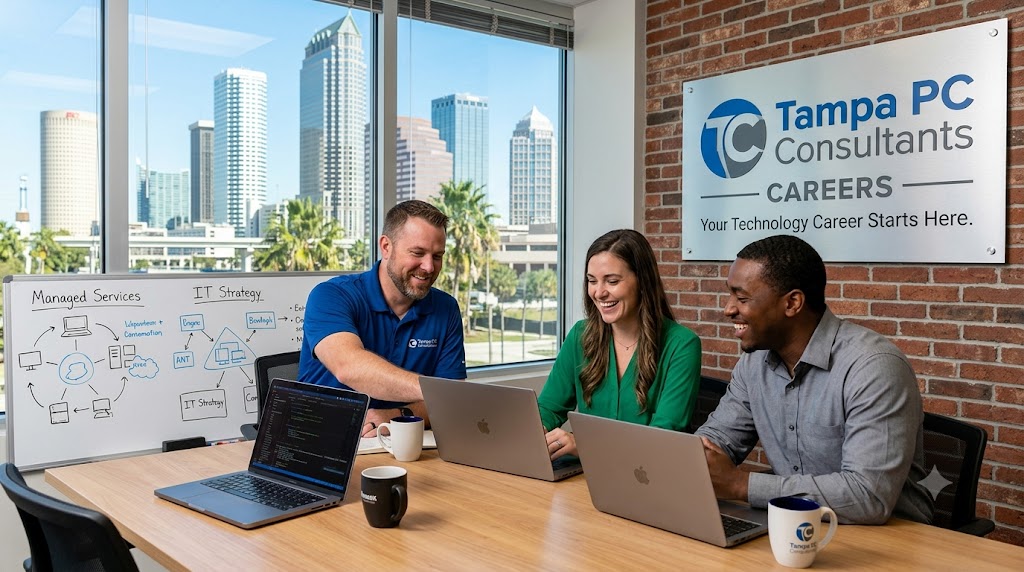

Your Local Tech Lifeline in Tampa’s Digital Landscape
In today’s fast-paced digital world, even minor tech hiccups can disrupt productivity, compromise security, or impact customer experiences. Whether you’re managing a home office, a growing startup, or a long-established business in Tampa, reliable technology support isn’t a luxury—it’s a necessity. Many users underestimate how network vulnerabilities, outdated systems, or poor device optimization can silently erode efficiency and expose sensitive data.
This guide explores how professional IT services can resolve these hidden challenges with precision and proactive care. You’ll learn practical strategies for maintaining peak system performance, securing your digital workspace, and minimizing downtime—all tailored to meet the demands of today’s hybrid work environments.
We’ll cover best practices for:
- Identifying early signs of hardware or software failure
- Strengthening cybersecurity defenses on local networks
- Optimizing device speed and reliability for daily tasks
- Leveraging cloud integration for seamless data access
With the right expertise, tech issues become manageable, predictable, and often preventable. By the end, you’ll have actionable insights to keep your systems running smoothly—no matter where work takes you in the Tampa Bay area.
Navigating Tampa’s Technology Roadblocks: Common Challenges and Practical Fixes
Businesses and individuals across the Tampa Bay area face consistent tech-related hurdles that impact productivity, security, and operational efficiency. From growing startups in Ybor City to home offices in South Tampa, recurring challenges like unreliable network performance, insufficient cybersecurity defenses, and outdated hardware plague daily operations. Many local users struggle with slow Wi-Fi coverage, especially in older homes or multi-floor workspaces, leading to dropped calls and stalled file uploads. At the same time, ransomware threats and phishing attempts continue to evolve, often bypassing basic antivirus tools and compromising sensitive data.
Another widespread issue is device lifecycle management—old computers and unpatched software create vulnerabilities and reduce performance. Users experience frequent freezing, long boot times, and compatibility issues with newer cloud applications. Data backup gaps also pose serious recovery risks when systems fail. For those relying on local networks, improper configurations can result in device conflicts or restricted access to shared resources.
To stay protected and productive, Tampa-area users should:
- Regularly update operating systems and applications
- Implement layered cybersecurity with firewalls and endpoint protection
- Use strong, unique passwords with multi-factor authentication
- Schedule routine hardware diagnostics and upgrades
- Maintain automated, offsite backups of critical files
Staying proactive with these fundamentals can drastically reduce downtime and strengthen digital resilience across both personal and professional environments.
7 Essential Computer Repair & IT Support Services You Need Today
When tech issues strike, knowing what services are available can make all the difference in minimizing downtime and protecting your data. Whether you’re managing a home office in Tampa or running a local business, these core computer repair and IT support services provide reliable solutions to common technical challenges.
Onsite & Remote Technical Support
Get help exactly when and where you need it. Skilled technicians offer both remote troubleshooting for software issues and onsite visits for hardware repairs, ensuring flexible support tailored to your situation—ideal for Tampa residents who value fast, local responsiveness.Virus & Malware Removal
A single infection can compromise files, slow performance, and expose sensitive data. Professional cleaning includes deep scanning, rootkit detection, and post-removal system optimization to restore your machine to peak condition.Data Backup & Recovery Solutions
Lost files due to drive failure or accidental deletion don’t have to be permanent. Experts configure automated backup systems and retrieve data from corrupted or crashed drives using certified recovery techniques.Network Setup & Optimization
From home Wi-Fi networks to multi-device office setups, proper configuration ensures stable, secure, and high-speed connectivity. Includes router configuration, mesh network design, and bandwidth management.Hardware Repair & Upgrades
Broken screens, failing hard drives, or aging systems can often be repaired or enhanced. Technicians replace components, upgrade RAM or SSDs, and extend the life of your devices cost-effectively.Cloud Integration & Support
Migrate files, email, and business apps to the cloud securely. Services include syncing devices, setting up cloud storage, and training users to access data remotely with confidence.Proactive IT Maintenance
Regular tune-ups prevent problems before they start. Scheduled diagnostics, software updates, driver checks, and security scans keep systems running smoothly—especially valuable for small businesses in fast-paced environments like downtown Tampa.
Why Local Tech Support Outperforms Big-Box Chains
When your computer crashes or your network slows to a crawl, every minute counts. While national tech chains may promise quick fixes, local tech support offers something those one-size-fits-all models can’t: personalized, community-driven service tailored to your unique setup. Based right here in Tampa, local experts understand the regional challenges businesses and households face—from humidity-related hardware issues to localized cybersecurity threats—all while providing faster response times than distant call centers.
Unlike automated repair systems that treat every problem the same, local technicians take the time to assess your specific environment. They’ll walk you through each step of the repair, offer customized recommendations, and follow up to ensure long-term stability. This hands-on approach reduces repeat issues and builds trust over time.
Personalized service means:
- Onsite visits within hours, not days
- Direct access to the same technician for continuity
- Solutions that account for your real-world usage
- Support for legacy systems big chains often overlook
Plus, local providers are more likely to offer flexible service plans, from routine maintenance to emergency data recovery, all without hidden fees or forced upgrades. When you choose local, you’re not just getting a repair—you’re gaining a tech partner invested in your long-term success.
Your Top Questions About Computer Repair, Data Recovery & IT Support—Answered
Navigating computer issues, data loss, and IT services can be overwhelming, especially when downtime impacts productivity. Below are common questions customers in the Tampa area frequently ask to better understand their options and next steps.
What should I do if my computer won’t turn on?
First, check that the power source is securely connected and the outlet is functional. For desktops, test a different power cable or outlet. If using a laptop, ensure the battery is charged or try running it directly on AC power. If no lights or fans respond, it could indicate a failed power supply, motherboard issue, or internal hardware malfunction—common in older systems exposed to power surges or overheating.
How quickly can data be recovered from a damaged hard drive?
Recovery timelines vary. Logical failures (corrupted files, accidental deletion) can often be resolved within 24–48 hours. Physical damage (clicking sounds, failed motors) requires specialized tools and clean-room procedures, potentially taking 3–7 days. Immediate shutdown upon noticing symptoms improves recovery success.
Is remote IT support safe and effective?
Yes—secure remote connections use encrypted protocols to access systems, allowing technicians to troubleshoot software issues, update security settings, or deploy patches without on-site visits. It’s ideal for routine maintenance and urgent software fixes, especially for businesses across Tampa seeking fast response times.
What signs indicate my system needs immediate repair?
Watch for slow performance, frequent crashes, blue screens, unusual noises, or overheating. These may signal failing hardware, malware, or inadequate cooling—especially in humid coastal areas like Tampa.
How can I prevent data loss?
Regular backups to external drives or cloud storage are essential. Enable automatic backups and test restore processes quarterly. Avoid sudden shutdowns and invest in surge protectors.
Do IT services cover older computer systems?
Yes—many providers support legacy hardware and software for small businesses or home users who rely on specialized programs. Technicians can optimize performance, update security patches, and extend system life safely.
What’s the difference between virus removal and full system cleanup?
Virus removal targets active malware using real-time and heuristic scanning tools. A full system cleanup includes removal, cleanup of temporary files, registry optimization, and performance tuning to restore stability.
Your Trusted Path to Smarter Technology Decisions
Choosing the right technology support is more than fixing what’s broken—it’s about building a foundation that grows with your needs. In Tampa, businesses like yours face ongoing challenges: aging hardware slowing productivity, cybersecurity threats lurking in everyday workflows, and IT costs that creep upward without clear returns. The key lies in proactive, not reactive, tech management. By aligning your systems with smart maintenance practices and strategic upgrades, you gain reliability, efficiency, and peace of mind.
Start by assessing your current setup:
- Are your devices regularly maintained and updated?
- Is your data securely backed up offsite or in the cloud?
- Do you have clear protocols for handling network outages or malware incidents?
These aren’t just technical checkboxes—they’re pillars of operational resilience. Local support offers faster response times, personalized service, and a deep understanding of Tampa-area business needs, from small home offices to expanding multi-site operations. Instead of waiting for failure, take control now. Review your IT health quarterly, train your team on security best practices, and document all systems for faster troubleshooting.
Don’t let technology gaps hold you back—take the next step toward a seamless, secure, and scalable setup today.