

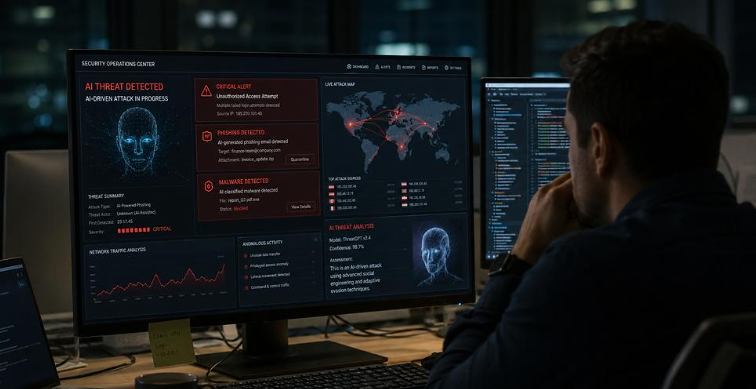
For years, spotting a scam email was easy. The grammar was awful, the greeting was generic, and the sender’s address looked ridiculous. Those days are over.
Criminals now use artificial intelligence to write flawless, personalized messages, clone voices, and impersonate the people you trust. For Tampa medical offices, law firms, accounting firms, and growing businesses with 5 to 100 employees, AI cybersecurity in Tampa is no longer an enterprise concern. It is a daily business necessity.
At Tampa PC Consultants, we have protected Tampa Bay businesses since 2010 and watched threats evolve from simple viruses to the sophisticated attacks we see today. Here is what business owners need to know.
How Criminals Use AI to Create Convincing Phishing Emails
AI tools let attackers produce polished, believable messages in seconds. Here is how they use them:
- Perfect writing. AI removes the typos and awkward phrasing that once gave scams away.
- Personalization at scale. Attackers gather details from websites, LinkedIn, and social media, then craft messages that mention your firm, your colleagues, or your recent projects.
- Impersonation. An email that appears to come from your managing partner, office manager, or bank can mimic their writing style. Some attackers go further with cloned voices and fake voicemails.
- Speed and volume. One criminal can now run thousands of tailored campaigns at once.
Consider a general scenario: a bookkeeper at an accounting firm receives an email from the “owner” requesting an urgent wire transfer. The tone is right, the timing is plausible, and nothing looks off. This is the kind of fraud AI makes easier, and small business cybersecurity in Tampa has to account for it. Regular security awareness training teaches your team to pause and verify before they act.
Voice and video impersonation add another layer. A caller who sounds exactly like your practice administrator or managing attorney can pressure an employee into sharing a password or approving a payment. The safest habit is simple: any request involving money, logins, or confidential records gets confirmed through a second channel, such as calling the person back on a number you already know.
Seven Warning Signs of a Potential Cyberattack
Catching trouble early can mean the difference between a minor incident and a major crisis. Watch for these signs:
- Unexpected password reset emails or login alerts. If you did not request them, someone may be testing your accounts.
- Strange sign-in activity. Logins from unfamiliar locations or at odd hours are a red flag.
- Emails you did not send. Colleagues or clients report messages from your account that you never wrote.
- Sudden urgency. Requests involving money, credentials, or sensitive data that demand immediate action are classic manipulation.
- Slow computers or unexplained crashes. Malware often drains system performance.
- Files that will not open or have strange extensions. This can signal ransomware encryption in progress.
- Disabled security tools or new mailbox rules. Attackers often turn off protections or create hidden forwarding rules to monitor your email.
If you notice any of these, disconnect the affected device from the network and contact your IT provider immediately. Our incident response team is ready to help you contain the problem fast.
Why Microsoft 365 Accounts Are Attractive Targets
Most small businesses run on Microsoft 365, which makes it a prime target. One compromised account can expose email, contracts, client files, and calendars all at once.
Attackers love it because:
- A single stolen password can open email, OneDrive, SharePoint, and Teams.
- A hijacked mailbox lets criminals send convincing messages from a trusted address to your clients and vendors.
- Default settings often leave gaps, such as missing multi-factor authentication or loose sharing permissions.
For medical offices and law firms, a breached account can also create serious compliance problems around patient and client confidentiality. Proper Microsoft 365 security, including multi-factor authentication, access controls, and monitored configurations, is one of the most effective protections you can have. Learn more about our Microsoft 365 cloud services.
How Ransomware Can Disrupt a Small Business
Ransomware locks your files and demands payment to restore access. For a small business, the damage goes far beyond the ransom itself:
- Downtime. Without access to scheduling, billing, or case files, work stops.
- Lost revenue and productivity. Every idle hour costs money while employees wait.
- Reputation damage. Clients lose confidence when their information may be exposed.
- Regulatory exposure. Healthcare, legal, and financial businesses may face notification duties and compliance scrutiny.
- Recovery costs. Cleanup, forensics, and rebuilding systems add up quickly.
Imagine a medical office arriving Monday morning to find every patient record inaccessible. Appointments cannot be confirmed, and staff cannot work efficiently. That is why ransomware protection in Tampa should be a priority before an incident occurs, not after. If an attack has already happened, our ransomware remediation service can help you recover.
The longer ransomware sits undetected, the more it costs. Many attacks begin days or weeks before the lock screen appears, which is why continuous monitoring and tested backups matter so much. A business that can restore clean data quickly is far less likely to face an impossible choice about paying criminals.

How Managed Cybersecurity Services Help Reduce Risk
Most small businesses do not have a full-time security team, and they should not need one. Managed IT security gives you ongoing expertise and layered protection at a predictable monthly cost. At Tampa PC Consultants, our approach includes:
- Managed IT support: Proactive monitoring, patching, and fast help when something goes wrong, with 24/7 support and response times under 15 minutes.
- Email security and endpoint protection: Filtering that blocks phishing, spoofing, and malicious attachments, plus advanced defense on every computer, backed by our network security services.
- Microsoft 365 management: Secure configuration, access controls, and account monitoring.
- Backup and disaster recovery: Secure cloud and on-site backups so you can restore operations quickly after a cyberattack, hardware failure, or storm.
- Employee security training: Your staff is your first line of defense, and trained employees spot threats that technology misses.
- Compliance IT services: Support for the security requirements that apply to healthcare, legal, and financial businesses, including HIPAA.
We also stand behind our work with a No-Risk Service Guarantee on covered support tickets under your managed services agreement. Whether you are in downtown Tampa or looking for cybersecurity services in Plant City, we serve businesses throughout Hillsborough County with the same hands-on attention.
What Every Business Owner Should Do Before an Attack Occurs
Preparation is far cheaper than recovery. Start with these steps:
- Turn on multi-factor authentication for email and every critical system.
- Back up your data using the 3-2-1 approach (three copies, two types of storage, one offsite) and test restores regularly.
- Train your team to verify unusual requests by phone using a known number.
- Keep systems updated. Unpatched software is an open door.
- Limit access. Employees should only reach the data they need.
- Create an incident response plan. Know who to call, what to shut down, and how to communicate with clients.
- Get a professional assessment. An outside review reveals blind spots you cannot see from the inside.
Is Your Business Protected Against AI-Powered Cyberattacks?
Do not wait for a suspicious email to find out. Schedule your FREE Cybersecurity Assessment with Tampa PC Consultants and learn where your business stands.
Schedule Your FREE Cybersecurity Assessment or contact us online.
Tampa PC Consultants
706 W Dr Martin Luther King Jr Blvd, Tampa, FL 33603
Phone: (813) 756-4171
Email: Support@tampapcconsultants.com
Website: tampapcconsultants.com
Hours: Mon to Fri 10 AM to 7 PM, Sat 11 AM to 6 PM, Sun 1 PM to 5 PM
Proudly serving medical offices, law firms, accounting firms, and growing businesses across Tampa, Plant City, and all of Hillsborough County.